Dedroid
Debian on Android
A full-featured Debian GNU/Linux 13 (Trixie) command-line workstation directly on your Android phone or tablet. Built in native Kotlin & Android Jetpack, powered by rootless PRoot virtualization, passwordless sudo, bidirectional /sdcard access, and an interactive coding keyboard.
| __ \ | | (_) | |
| | | | ___ __| |_ __ ___ _ __| |
| | | |/ _ \/ _` | '__/ _ \| |/ _` |
| |__| | __/ (_| | | | (_) | | (_| |
|_____/ \___|\__,_|_| \___/|_|\__,_|
Capabilities
Built for Real Developers
No compromises. A genuine Debian 13 environment inside your pocket with full package management and seamless phone integration.
Debian 13 (Trixie) Ecosystem
Direct access to the official Debian package mirrors. Install GCC, Clang, Rust, Python, Go, Node.js, Neovim, Git, and tens of thousands of CLI utilities with standard apt.
100% Rootless PRoot Virtualization
Runs entirely in Android userspace using proot syscall emulation. No root privileges needed, zero risk of bricking, and never trips Samsung Knox or corporate MDMs.
First-Time Setup Wizard
Automated initial provisioning creates your custom user account, configures timezone and UTF-8 locales, sets up passwordless sudoers rules, and deploys home directories in one click.
Passwordless sudo & PAM Bridge
Friction-free system administration. Execute sudo apt update or custom service configurations without typing passwords repeatedly, backed by an intelligent rootless PAM bridge.
Android /sdcard Storage Bridge
Direct bidirectional access to your Android internal storage via /sdcard and ~/sdcard. Edit files from Downloads, run scripts from mobile editors, and build directly on phone files.
Coding Keyboard Toolbar
Custom touch row positioned right above your soft keyboard with brackets, pipes, slash, tilde, and modifier keys (Ctrl, Alt, Tab, Esc) with instant toggle between coding and navigation mode.
Multi-Session Terminal Tabs
Run concurrent tasks simultaneously with independent bash sessions. Switch tabs with one tap, with exit dialog safety checks protecting against accidental session loss.
Persistent Background Service
Terminal processes continue running in an Android foreground notification service with active session indicators, preventing OS battery optimization from killing long builds.
Native Kotlin Architecture
Engineered entirely in modern Kotlin with Android Jetpack, coroutines, and clean lifecycle components. Guarantees 60 FPS terminal rendering, zero memory leaks, and optimal battery efficiency.
Visual Tour
Clean Cyber Interface
Real screenshots from Dedroid running on Android smartphones.
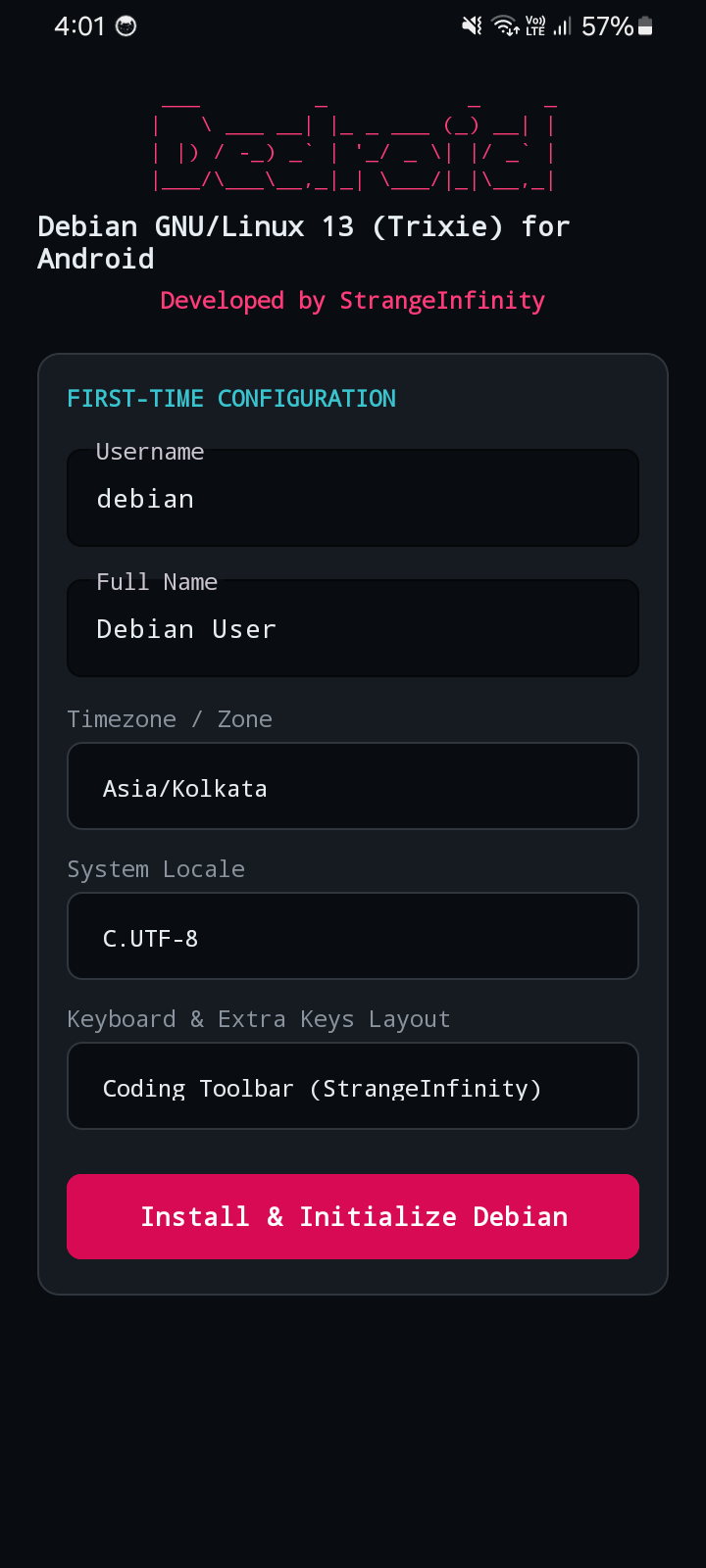
Setup Wizard
Username, display name & timezone selection on first launch.
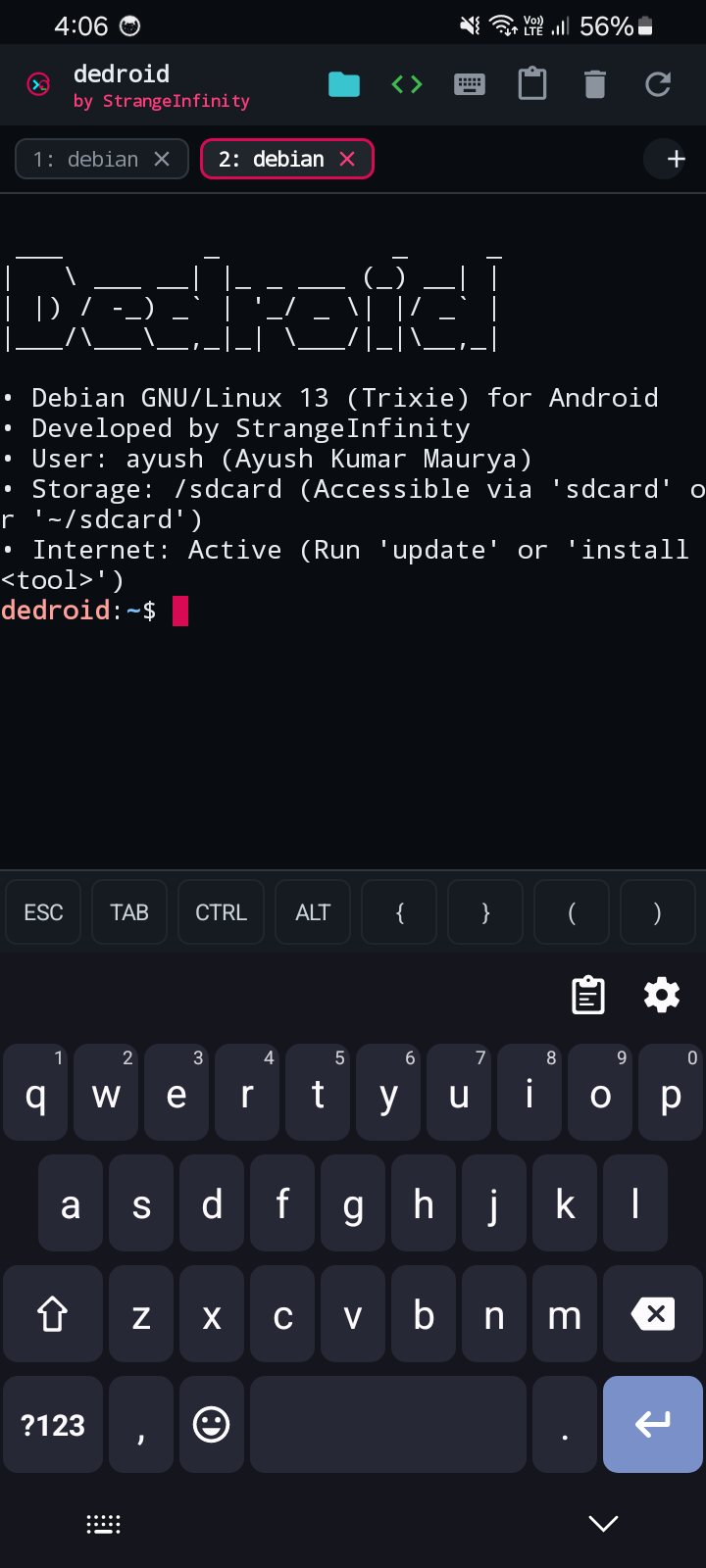
Debian 13 Terminal
Crisp ASCII MOTD banner, status metrics, and interactive shell.
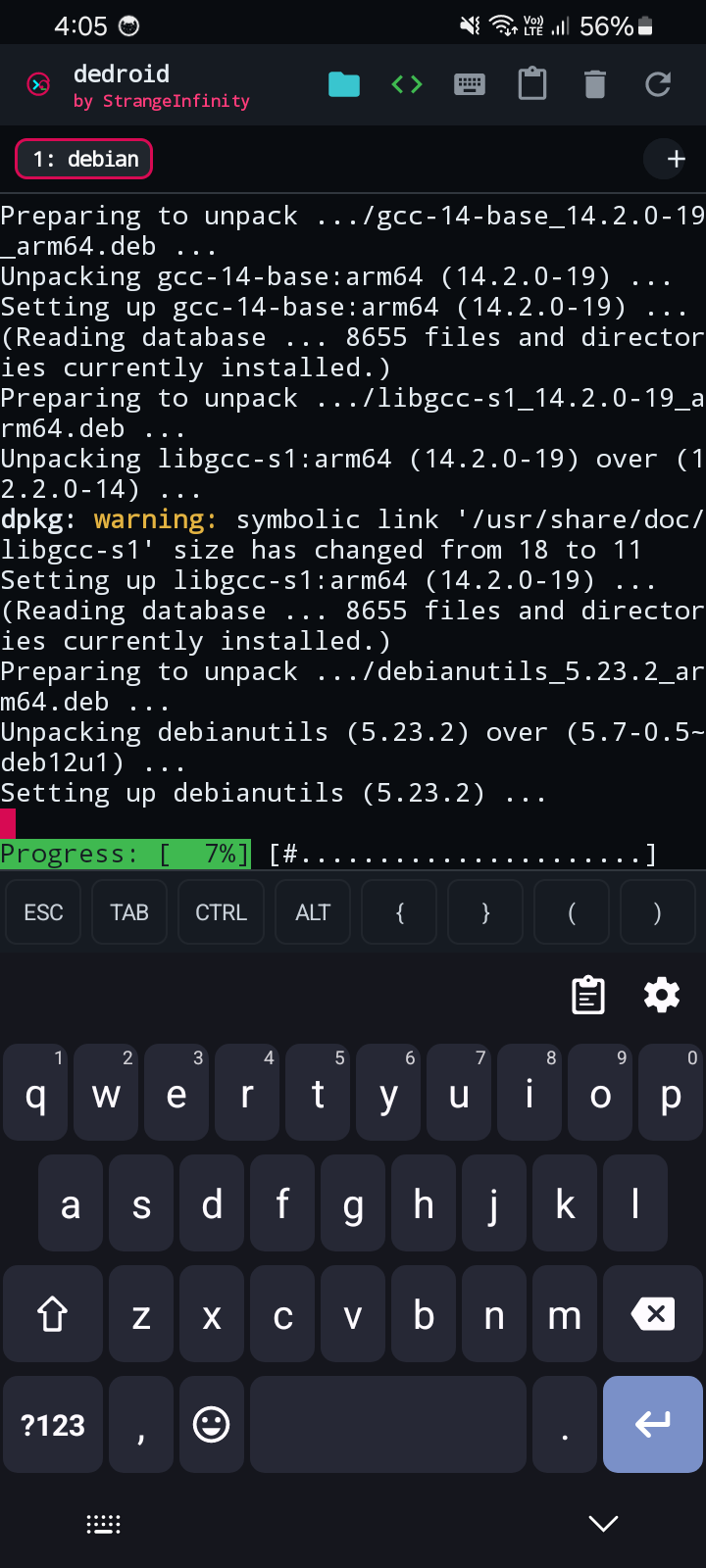
APT Package Manager
Standard Debian repository sync and package installation.
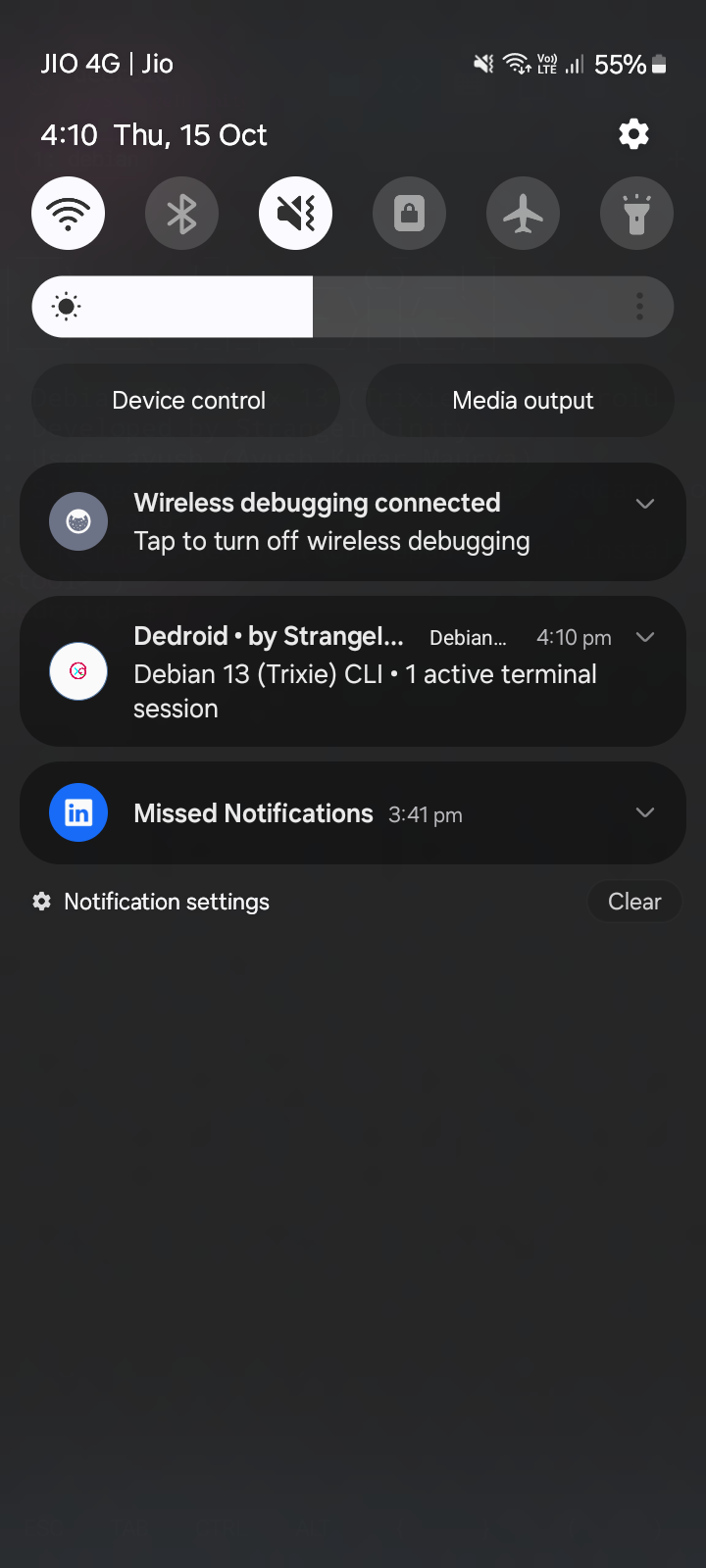
Background Service
Foreground notification keeping background jobs running reliably.
Productivity
Developer Keyboard Toolbar
Quick touch access to all the critical programming symbols missing from standard mobile keyboards.
| Category | Touch Keys | Typical Usage |
|---|---|---|
| Brackets | { } ( ) < > | Function definitions, JSON, C/Rust structs, HTML tags |
| Operators | ; | / \ # ~ | Command chaining, Linux pipelines, home dir, paths |
| Modifiers | ESC TAB CTRL ALT | Bash tab-completion, Ctrl+C interrupt, Vim/Nano exit |
| Navigation | ↑ ↓ ← → | Command history traversal, text cursor positioning |
Tap the <> button on the top app action bar to switch between Full Coding and Compact Navigation modes.
Get Dedroid
Download & Install
Grab the standalone signed APK release and start hacking on Debian in seconds.
Dedroid v1.0.0 (First Release)
Standalone signed APK with embedded rootfs unpacker and PRoot binary runtime. Compatible with 64-bit and 32-bit ARM & x86 Android devices.
Quick Installation Steps:
- Download the
dedroid-signed.apkpackage to your Android device. - Open your Downloads folder and tap the APK to install (enable "Install Unknown Apps" in Android settings if prompted).
- Launch Dedroid and enter your preferred username and display name in the Setup Wizard.
- Tap the folder icon in the top toolbar to grant Android Storage permission for
/sdcardaccess. - Run
sudo apt update && sudo apt install <package>to install your favorite tools.